


Change the font:
To type directly with the computer keyboard:
The BenOr Rashi font is based on the Rashi script style used for biblical commentaries in Eastern Europe (Ashkenazi tradition).
In this typeface, the Aleph-Lamed ligature appears in a specific form: ﭏ
It's different from the traditional Sephardic style found in the printing houses of Salonica or Istanbul: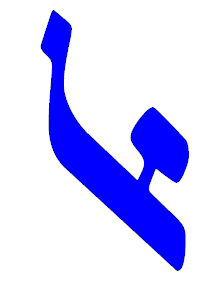
Download & install the font BenOr Rashi
Download & install the font Solitreo (cursive)
→ Ladino language (Judeo-Spanish)
→ Biblical Hebrew keyboard (with cantillation marks)
→ Hebrew transliteration keyboard (Latin script)
→ Multilingual keyboard: a wide range of scripts